Collapse and Contract Into a New Frame
The collapse and contract commands in Stata are both designed to create a new dataset. The collapse command makes a dataset of summary statistics while the contract command makes one of frequencies and percentages. However, this new dataset overrides and replaces the current dataset in memory. To avoid this issue, SDAS has developed new versions of both commands that are designed to place this new dataset in a different frame.
The commands new_collapse and new_contract work by creating a new frame with a name of the users choosing and placing the collapsed or contracted data into this frame instead of into the current working frame. Simply use the added option fname() at the end of the command with the desired name of your new frame in the brackets. Both these new commands maintain all the functionality of the regular collapse and contract commands and function identically if the fname() option is not applied.
You can download these commands directly from SDAS using the following commands:
net from https://techtips.surveydesign.com.au/commands

net install concoll, replace
Example
In the example below we can see that a new frame is created, and the contracted data is placed in this frame.
sysuse auto, clear

frame dir

new_contract rep78 foreign, fname(new_frame)

frame dir
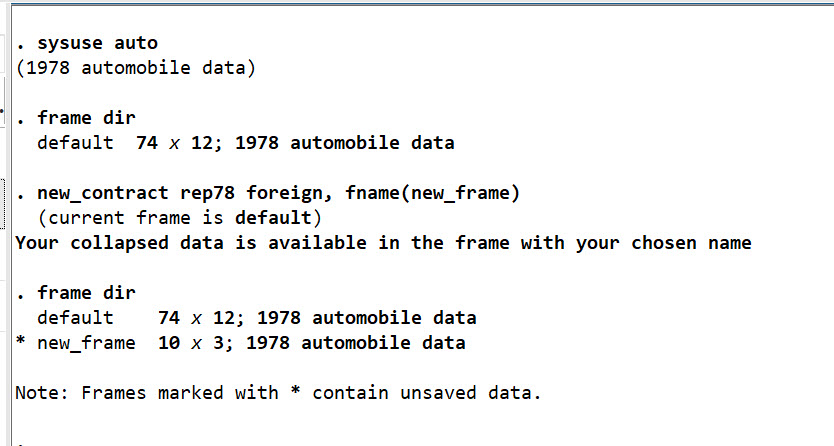
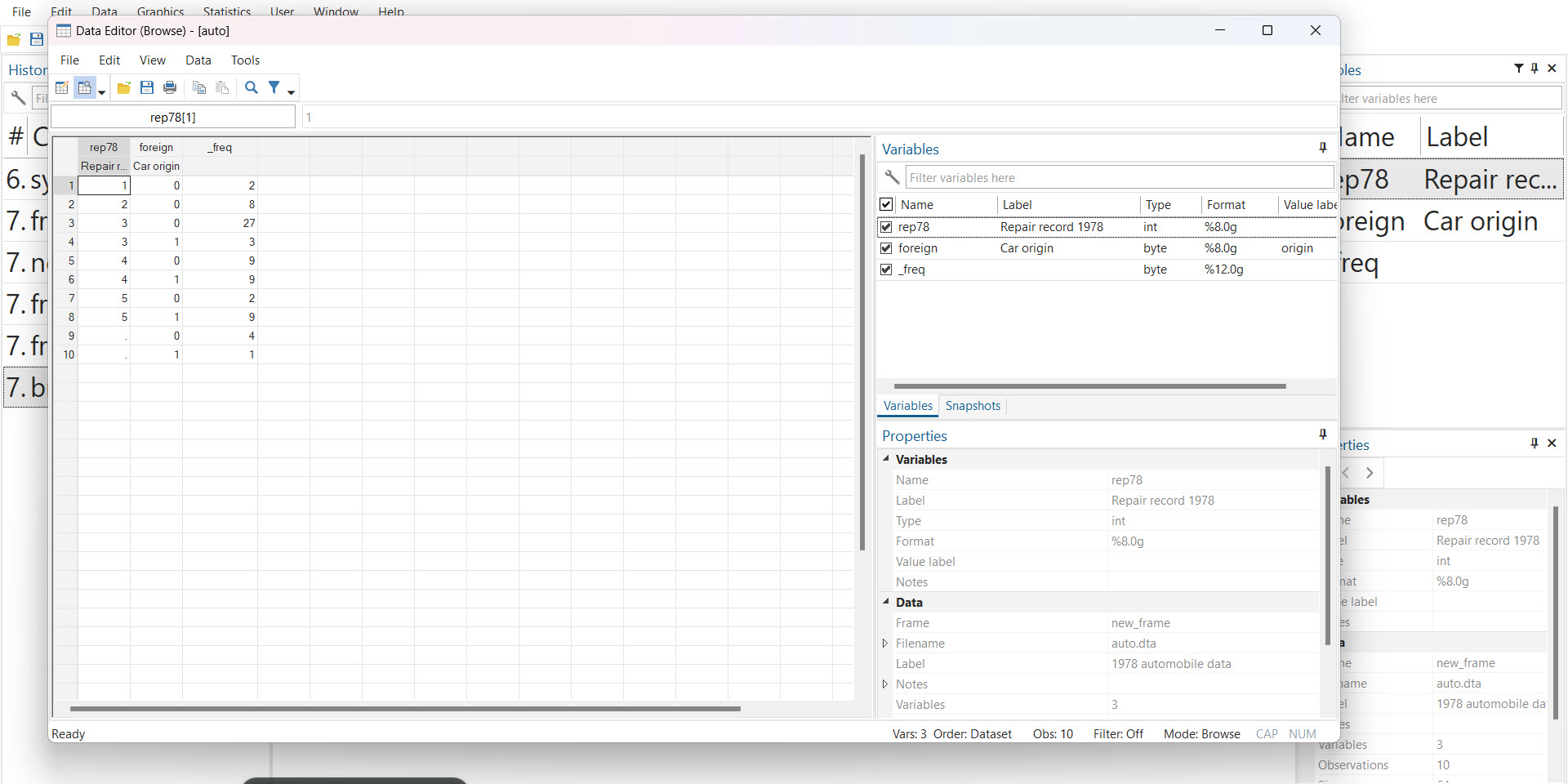
We can then change to this frame to view our contracted dataset
frame change new_frame

browse